CSFloat Bargain: How to Make Offers and Get Better CS2 Skin Prices
Learn how to make a CSFloat offer, judge the bargain discount, compare an offer with buy orders, and check fees before buying a CS2 skin.
TL;DR
A CSFloat bargain is an offer on an eligible listing when the seller has bargaining enabled. The best offer is not simply the lowest number: it is a price the seller may accept that still leaves room after marketplace fees, realistic resale value, and liquidity. Use this guide to review the offer before you submit it.
| Question | Practical answer |
|---|---|
| How do I make an offer? | Open a listing with a Bargain option, enter an offer within the seller’s allowed range, and review the final price before submitting. |
| Which listings are eligible? | The official bargaining announcement says bargaining applies to listings over $30; confirm the live listing page because marketplace rules can change. |
| What is the minimum or maximum discount? | The seller controls the maximum discount from the listing price; your allowed offer range is listing-specific, not a universal buyer discount. |
| How long does an offer last? | The official CSFloat bargaining announcement says offers expire after 24 hours. Check the live offer screen for the current status. |
| Can I cancel an offer? | The same official announcement says the creator can cancel after 30 minutes. Treat the live account UI as the source of truth if the workflow changes. |
| Bargain or buy order? | A bargain targets one seller’s listing. A buy order expresses what you want to pay and may fill only when a seller accepts that market. |
Written by Shub. Shub writes practical CS2 marketplace guides focused on pricing evidence, fees, liquidity, and safer buying decisions.
Updated · Published .
What is a CSFloat bargain?
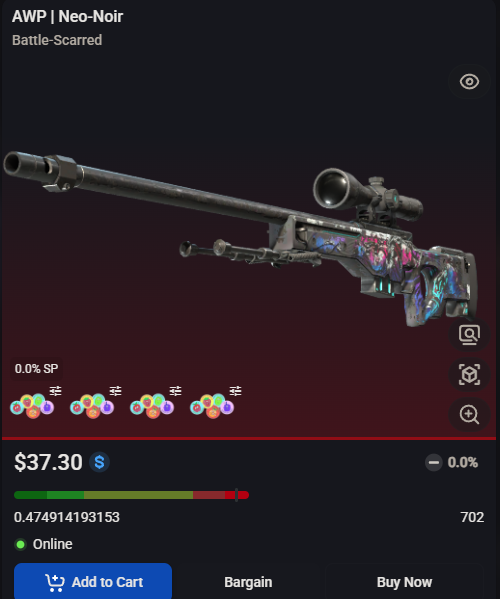
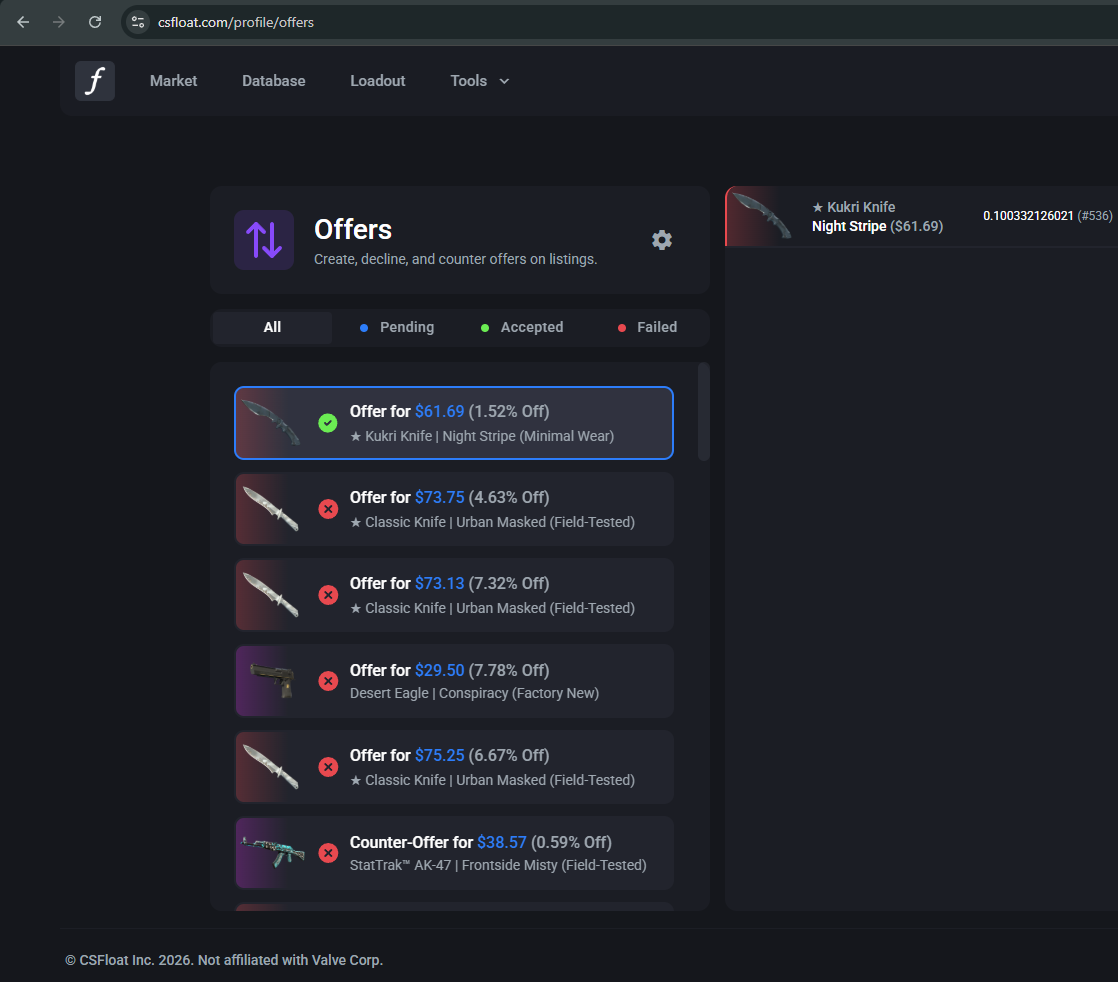
On CSFloat, bargaining lets a buyer propose a lower price on a listing when the seller has enabled offers. The seller can accept, decline, or counter; a counter-offer gives the buyer the same choices.
The Bargain button is a negotiation path, not proof that the item is underpriced. Start with the exact item, wear, float, seed, stickers, and recent comparable sales.
How to make a CSFloat offer
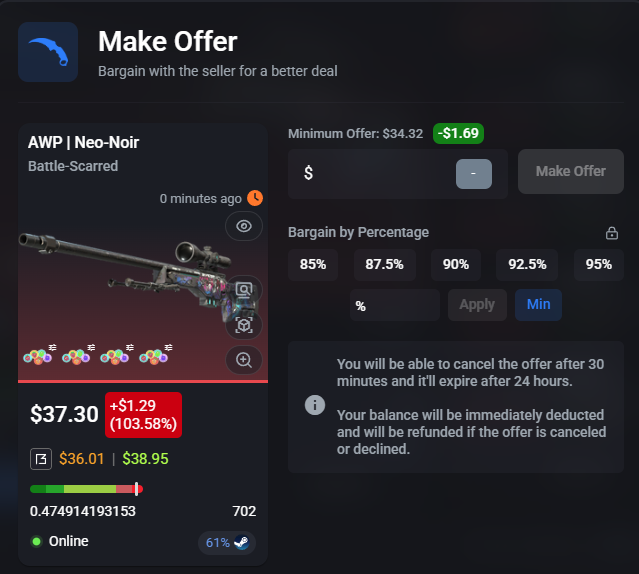
Open the listing, choose Bargain when it is available, and enter a price inside the seller’s permitted range. Before submitting, compare the offer with multiple live listings and recent sales for the same item and wear.
There is no universal CSFloat bargain minimum or maximum discount for every listing. CSFloat’s official announcement describes a seller-controlled maximum discount, and the API exposes the listing’s minimum offer price and maximum offer discount. The range can therefore vary by seller and listing.
Offer expiration and canceling a CSFloat offer
The current CSFloat offer screen says the seller has 24 hours to accept or counter before the offer expires, and that the offer creator can cancel only after 30 minutes. The official CSFloat bargaining announcement describes the same 24-hour expiration and 30-minute cancellation behavior. If the live UI changes, follow the countdown and controls shown on the offer itself.
That announcement also says offer recipients can receive email and push notifications when enabled. Check your current CSFloat notification settings rather than assuming either channel is active. Do not treat an unanswered offer as locked-in inventory; keep a note of the listing and your maximum price, then reassess if the offer expires or the seller counters.
Bargain vs. buy orders
A bargain is attached to a specific seller’s listing: you are negotiating for that item now. A buy order is a target price in a market and may fill later, if a seller accepts that price and the market supports the order.
Use a bargain when the exact item’s float, pattern, or stickers matter. Use a buy order when the item is interchangeable enough that you care more about price and availability than one specific listing.
Account for CSFloat fees
A lower purchase price does not automatically mean a profitable trade. Calculate your expected resale proceeds after the fee structure that applies when you sell, plus any withdrawal or payment costs that apply to your account or region. CSFloat’s current public site advertises a 2% seller sale fee, while the official fee announcement also describes separate withdrawal fees; verify the live fee page before publishing a hard all-in number.
Run the offer price, realistic resale price, and fee assumptions through Code Red’s calculators. If the trade only works at the most optimistic resale price, it is a speculative offer rather than a reliable bargain.
Compare the offer with real market evidence
Imagine a skin listed at $110 with repeatable comparable sales near $115. An accepted $95 offer may create room, but only if the comparison includes similar wear, float, pattern, stickers, and enough market depth to support that resale price.
Check the offer against the lowest credible live listings, buy orders, recent sales, and time-to-sell. If several comparable listings already sit near your offer, the discount may be ordinary pricing rather than a special opportunity.
FAQ: what makes a CSFloat offer worth sending?
Send an offer when the item is worth owning at that price even if the seller does not counter quickly. A practical offer improves your margin without depending on a stale listing, a rare outlier sale, or a resale price you cannot support with current evidence.
If the seller’s minimum is above your maximum, skip the listing and keep scanning. Code Red’s listing and alert workflows can help you find another candidate without forcing the trade.